
IT and Equipment Relocation: Moving Servers and Electronics

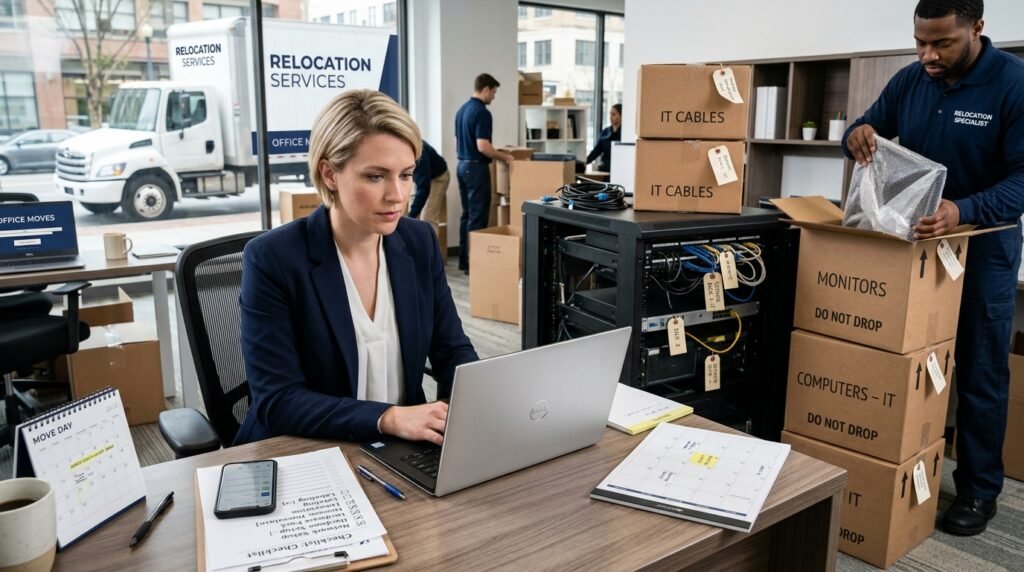
Relocating servers, workstations, and sensitive office electronics is one of the riskiest parts of any office move. A rushed plan can lead to lost data, downtime, damaged gear, and a frustrated team. A structured IT relocation plan, the right moving partners, and clear communication can turn a high-risk project into a controlled transition.
This guide walks you through every step of moving office equipment: how to prepare your inventory, protect data, coordinate with your IT team, compare commercial movers, and keep your business running during the move. You will learn how to evaluate moving quotes for IT-heavy moves, what questions to ask movers about handling servers and electronics, and how a comparison platform like Moving US Van Lines can help you match with the right specialists faster.
Whether you are moving a small office with a single rack or a large data-heavy operation, use this as a practical field manual to plan, compare, and book your IT and equipment relocation with confidence.
Throughout, we will show where it makes sense to use a professional commercial mover, when to add specialized services, and how to use one request to compare multiple licensed and insured movers instead of starting from scratch with each company.
Key takeaways
- Create a detailed IT inventory and network diagram before moving office equipment so you can reconnect quickly and verify nothing is missing.
- Back up all critical systems, document passwords and configurations, and plan for data security long before any server or workstation is unplugged.
- Compare movers based on their experience relocating servers and electronics, insurance and valuation options, packing methods, and after-hours availability.
- Request written, itemized estimates and make sure quotes specify what is included: disconnect/reconnect, packing, crating, cabling, and disposal.
- Stage equipment shutdown and startup in phases to reduce downtime, and test critical systems immediately after arrival at the new site.
- Use a structured IT relocation plan that includes building rules, elevator reservations, loading dock windows, and communication to staff.
- Leverage Moving US Van Lines to submit your IT move details once and review multiple licensed commercial movers side by side.
Why IT and equipment moves are different from a standard office move
Moving office equipment is not the same as moving desks and chairs. Servers, network gear, and business-critical electronics introduce risk to every phase of the move. Even a short period of downtime can affect customer service, revenue, and your team's ability to work.
When relocating servers and moving computers office-wide, you are not just moving objects; you are moving the backbone of your operations. That is why planning, mover selection, and quote comparison matter much more than in a simple furniture move.
Key risks unique to IT relocation
- Unexpected downtime impacting customers or service-level commitments
- Data loss or corruption if systems are not backed up or shut down correctly
- Hardware damage from vibration, shock, static, or improper packing
- Security gaps, including misplaced devices or exposed drives
- Licensing and compliance issues when systems are offline or relocated
- Missed dependencies between systems (for example, printers, scanners, payment terminals)
Recognizing these risks is the first step to building a solid IT relocation plan and selecting moving partners who understand technical environments.
Pre-move IT assessment and inventory
Before requesting quotes for moving office equipment, you need a current, accurate picture of what you own, what you are actually using, and what can be retired. This is your opportunity to clean up old equipment and plan smarter for the new space.
Build a complete IT inventory
Work with your internal IT staff or managed service provider to document all technology hardware that will move or be replaced.
- Servers and blades (make, model, serial number, role)
- Network devices (firewalls, routers, switches, wireless access points)
- Storage systems (SAN, NAS, DAS)
- Desktops, laptops, thin clients, and docking stations
- Monitors and specialty displays
- VoIP phones, conference room systems, and video equipment
- Printers, copiers, scanners, and label printers
- Point-of-sale devices, card readers, and terminals
- Cables, patch panels, racks, UPS units, and power strips
Inventory tip: Assign each asset a unique ID label that stays on throughout the move, and map that ID to the new location or desk number in advance.
Separate equipment by move decision
Not every device needs to move. Some should be recycled, donated, or replaced at the new site.
| Equipment group | Action | Notes for movers |
|---|---|---|
| Core production servers and storage | Move with highest priority | Require shock protection, upright transport, and climate control. |
| Office workstations and monitors | Move in main office load | Label by employee/desk; pack monitors vertically with padding. |
| Obsolete desktops and printers | Recycle/retire, do not move | Consider certified e-waste disposal and data wiping. |
Document your current environment
- Network diagrams (core switches, VLANs, firewalls, WAN links)
- Server roles (database, file, application, authentication)
- IP address plans and DHCP reservations
- Patch panel labeling and cable runs
- External connections (ISPs, cloud services, VPN peers)
Configuration tip: Export configurations from firewalls, switches, and other critical devices and store them with your backups in at least two secure locations.
Building a practical IT relocation plan and timeline
With your inventory and current state documented, you can now build a realistic IT relocation plan that fits your lease dates, construction schedule, and business cycles.
Phased timeline for a typical IT relocation
| Phase | Target timeframe before move | Key IT actions |
|---|---|---|
| Assessment & design | 8–12 weeks | Complete inventory, design new network and rack layout, confirm power and cooling. |
| Vendor selection | 6–10 weeks | Request quotes, compare commercial movers, choose IT move specialists. |
| Pre-move setup | 3–6 weeks | Install racks, cabling, and Internet lines at new office; stage non-critical gear. |
| Cutover weekend | Move days | Shut down, move, and power up servers and key systems; verify core services. |
| Stabilization | 1–2 weeks after | Troubleshoot issues, retire old cabling/equipment, finalize documentation. |
Key elements of a strong IT relocation plan
- Defined downtime windows – nights or weekends when systems can be offline.
- Clear ownership – who is responsible for each task: internal IT, external vendors, moving company.
- Communication plans – how and when to notify staff, customers, and partners.
- Contingency strategies – how you will roll back or operate temporarily if something fails.
- Dependencies – for example, you cannot move servers if the new site's Internet is not live.
Example internal email to staff before moving office equipment:
«On Friday at 6:00 p.m., our IT team and moving partner will begin relocating servers and networking gear to the new office. Access to shared drives, VPN, and some applications will be unavailable until Saturday at 2:00 p.m. We will send an update when systems are back online. Please save your work and log off by 5:30 p.m. Friday.»
Protecting data, security, and compliance
Data protection is at the center of any move involving servers and endpoints. Before a single device is unplugged, have a specific, documented plan for backups and security.
Backup strategy before relocating servers
- Confirm recent backups for all critical servers, including offsite or cloud copies.
- Test restore procedures for at least one key application or database.
- Export and securely store configuration backups for firewalls, routers, and switches.
- Maintain at least one backup that is not physically moving with the equipment.
Security controls during moving office equipment
- Use tamper-evident seals or numbered cable ties on racks and crate doors.
- Keep devices with sensitive data (like backup drives) under direct staff supervision.
- Restrict who is allowed into server rooms, staging areas, and loading docks.
- Keep a check-in/check-out log for each server, storage device, and backup drive.
For organizations with regulatory obligations, coordinate your IT relocation plan with compliance stakeholders so you stay aligned with any industry requirements.
Choosing the right movers for IT and equipment relocation
The mover you choose can greatly reduce or increase risk when moving office equipment. Not every mover is equipped to handle server racks or high-value electronics. You want a partner with relevant experience and proper insurance, not just the lowest bid.
Types of movers to consider
| Mover type | Best for | Considerations |
|---|---|---|
| Local commercial movers | In-city office moves with mixed furniture and IT equipment | Ask about electronics handling, building coordination, and after-hours work. |
| Interstate commercial movers | Moving office equipment between states or long distances | Confirm licensing, insurance, transit times, and climate control options. |
| Specialized IT/electronics movers | Server racks, data centers, labs, and high-value electronics | Often provide custom crating, shock sensors, and technical support. |
With Moving US Van Lines, you can compare licensed movers that handle commercial and IT-focused moves. Instead of repeating your move details over and over, you submit once and review options side by side.
Questions to ask potential movers
- How many IT-heavy or server relocation projects have you completed in the past 12 months?
- Do you provide packing materials and crates specifically designed for electronics?
- Can you offer after-hours or weekend moves to minimize downtime?
- What insurance and valuation options are available for high-value equipment?
- Will your crew handle disconnect/reconnect or only physical transport?
- How do you label and track equipment during the move?
Sample wording when contacting movers:
«We are relocating approximately 40 workstations, 3 server racks, and related networking gear between two offices in the same metro area. We need a mover experienced in IT relocation, with proper packing for electronics and the ability to work over a weekend. Please confirm your experience with server moves and provide a written, itemized estimate.»
Understanding and comparing IT moving quotes
IT-heavy moves can be quoted in different ways, which makes comparison tricky if you are not careful. When you are moving office equipment, focus on scope, detail, and what is excluded just as much as price.
Key cost factors when moving office equipment
| Cost factor | How it affects your quote | What to clarify with movers |
|---|---|---|
| Move distance and access | Longer distances, limited loading docks, and freight elevators add time and cost. | Ask about travel fees, parking permits, and building access charges. |
| Special handling and packing | Crating, anti-static materials, and air-ride trucks increase protection and price. | Confirm what packing materials and services are included vs. extra. |
| Labor and scheduling | Overtime, nights, or weekends typically cost more than weekday daytime work. | Clarify hourly rates, minimum hours, and surcharges for after-hours work. |
How to compare multiple IT moving quotes
- Request written, itemized estimates from all movers you are considering.
- Make sure each mover is quoting on the same scope: number of devices, packing level, disconnect/reconnect, storage, and timing.
- Review the valuation coverage in each quote; understand what is covered and what limits apply.
- Look for additional charges such as fuel surcharges, long carries, stairs, or elevator wait time.
- Consider experience and references for IT relocation along with price.
Using a comparison marketplace like Moving US Van Lines can simplify this process. You can request moving quotes once and compare responses from licensed commercial movers who understand IT moves.
Packing and handling servers, computers, and electronics
Proper packing is essential when relocating servers and high-value electronics. Even a short ride in a truck can expose gear to vibration, shock, dust, and temperature swings.
Best practices for packing IT equipment
- Remove loose items (cables, external drives, adapters) and pack them in labeled bags or boxes.
- Use anti-static bags for circuit boards, memory, and other sensitive components.
- Wrap monitors and desktops with foam or bubble wrap; avoid thin, loose wrapping.
- Pack monitors upright, not flat, with padding on all sides.
- Use sturdy crates or boxes rated for the weight of your equipment.
- Label every container with its destination room, rack, or desk number.
Handling server racks
Server racks require special attention when you are moving office equipment that includes data center gear. Options include:
- Moving racks fully populated using shock-mounted, air-ride vehicles and specialized braces.
- De-racking heavy or sensitive components (such as storage arrays) and packing them individually.
- Using custom crates or rack cases with foam inserts.
| Rack move option | Pros | Cons |
|---|---|---|
| Move racks fully populated | Less cabling work, faster restart at new site. | Requires specialized movers, higher risk if mishandled, may exceed elevator weight limits. |
| De-rack and pack servers separately | Lower physical risk, easier to carry in tight spaces. | More labor to disconnect and recable; requires very good labeling. |
Coordinate with your IT team and mover to pick the right method based on your building constraints, equipment value, and tolerance for downtime.
Employee workstations and peripherals
- Ask employees to remove personal items from desks and work areas.
- Decide whether staff will pack their own keyboards, mice, and accessories or if movers will handle everything.
- Label each workstation's components so they stay together.
For mixed moves involving both office and home-based staff, you may also need a plan for shipping or delivering equipment to remote employees.
Move-day coordination for IT-heavy office moves
Move day is where planning meets reality. Clear roles, communication, and checklists prevent confusion when relocating servers and moving computers office-wide.
Roles and responsibilities
- IT lead – coordinates shutdowns, backups, and verification of systems.
- Move coordinator – manages schedules, access, and communication with the moving company.
- Building contacts – handle loading dock, freight elevator, and security.
- Vendor contacts – Internet providers, phone providers, security and access control.
Move-day checklist for IT equipment
- Confirm all planned backups have completed successfully.
- Run through your shutdown procedure for servers, storage, and network gear.
- Label and photograph the front and back of racks and patch panels.
- Verify that all packed crates and racks are labeled with destination.
- Have printed copies of equipment lists and contact information on hand.
- Check that everything loaded onto the truck appears on your inventory list.
Communication tip: Assign one person to stay at the origin site until all IT gear is loaded and another to receive and check gear at the new office.
Post-move IT testing and go-live checklist
Once equipment arrives at the new office, your focus shifts to reassembly, testing, and verifying that your environment is stable before users return.
Step-by-step post-move process
- Inspect all crates, racks, and boxes for visible damage before opening.
- Compare received equipment against your inventory list and note any discrepancies.
- Position racks and core networking gear according to your new layout.
- Reconnect power and networking, following your documented diagrams.
- Power on devices in the correct sequence (for example, storage, then servers, then applications).
- Test core services: Internet, internal network, VPN, file shares, email, line-of-business apps.
- Have a small user group log in and perform key workflows before opening to everyone.
Post-move documentation
- Update network diagrams with any changes made during the move.
- Document new IP address assignments, VLANs, and cabling layouts.
- Record any incidents, near misses, or lessons learned for the next move.
If you are using a commercial mover with IT experience, clarify in advance whether they provide post-move support hours for adjustments, minor moves, or addressing missed items.
Common IT relocation mistakes and how to avoid them
Even well-managed projects see surprises. Understanding common mistakes can help you avoid them when moving office equipment.
| Common mistake | Impact | How to prevent it |
|---|---|---|
| Underestimating downtime | Systems offline longer than planned, frustrated staff and customers. | Build in buffers, test steps ahead of time, and plan phases rather than a single cutover. |
| Poor labeling of cables and gear | Slow reconnection, miswired devices, extended troubleshooting. | Use consistent labels and photos of rack and cable layouts before disassembly. |
| Skipping configuration and data backups | Risk of data loss or inability to restore systems if hardware is damaged. | Make verified backups mandatory before any shutdown. |
| Choosing movers only by price | Insufficient experience with servers and electronics, higher risk of damage. | Compare licensed movers with relevant IT move experience, not just the lowest cost. |
Using a structured quote comparison approach gives you better insight into who truly understands IT relocation. Platforms like Moving US Van Lines help you quickly see differences in services, experience, and coverage.
How Moving US Van Lines helps with IT and equipment relocation
Moving US Van Lines is a moving quote comparison platform that helps businesses and office managers find licensed and insured movers for a wide range of move types, including commercial and IT-heavy projects.
Why use a marketplace for an IT relocation plan?
- Single request, multiple options – Enter your IT move details once and review offers from different commercial movers instead of repeating information.
- Licensed and insured movers – Focus on companies that meet regulatory and insurance standards for commercial moves.
- Service comparison – Compare who offers server and electronics packing, disconnect/reconnect, off-hours moves, and storage.
- Flexibility by move type – Use resources for best commercial movers, best local movers, or best interstate movers depending on your office relocation.
For moves that include both workspace furniture and IT equipment, you can also review best packing and moving companies to see which movers can bundle services under one plan.
Helpful Moving US Van Lines resources
If your move includes executive homes or employee relocations tied to the office move, you can also explore residential moving and commercial moving resources to coordinate both sides of the transition.
Using offers and vendor tools
Companies planning larger projects can review vendor information and possible promotions through pages like vendor information and moving offers while planning their IT relocation plan and budget.
Frequently asked questions
How far in advance should we plan an IT and equipment relocation?
For most offices, start planning your IT relocation 8–12 weeks before move day. Larger or more complex environments may need several months to handle network design, vendor coordination, and equipment staging.
Do we need specialized movers for relocating servers?
If your move includes server racks, storage arrays, or high-value electronics, specialized movers or commercial movers with proven IT experience are strongly recommended. They bring proper packing materials, handling techniques, and insurance options.
Who is responsible for disconnecting and reconnecting IT equipment?
This depends on your agreements. Some movers only handle physical transport while your IT team manages disconnect/reconnect. Others offer technical assistance or partner with IT vendors. Clarify responsibilities in writing before booking.
How can we reduce downtime during an IT relocation?
Reduce downtime by planning phased cutovers, moving non-critical systems early, scheduling the main move during low-usage windows, and testing at the new site before everyone returns to work. Good backups and clear checklists are essential.
What should be included in an IT relocation plan?
A solid IT relocation plan includes inventory, network and rack layouts, backup and security steps, vendor contacts, detailed timelines, communication plans, and clear roles for IT staff, movers, and building management.
How do we protect data when moving servers and computers?
Back up all critical systems, test restores, encrypt drives when appropriate, control who can access equipment during the move, and keep at least one backup copy separate from the equipment in transit. Track each device from old site to new.
Can we move office furniture and IT equipment with the same company?
Often yes. Many commercial movers handle both furniture and IT equipment, though some may subcontract specialized IT handling. Compare movers based on their experience, scope of services, and how they protect electronics.
What information should we give movers when requesting quotes?
Provide details like number of workstations, servers, racks, locations, floor and elevator access, required timing, packing needs, and whether you need disconnect/reconnect support. The more precise your scope, the more accurate the quotes.
Is it better to move racks fully loaded or de-rack equipment?
It depends on your equipment, building constraints, and mover capabilities. Fully loaded racks can reduce cabling work but require specialized handling. De-racking lowers physical risk but takes more time and labeling discipline.
How can Moving US Van Lines help with our IT relocation?
Moving US Van Lines lets you compare licensed and insured movers for commercial and IT-heavy moves. You submit your move details once and review options side by side based on services, experience, and availability.
Sources referenced in this guide
When planning an IT and equipment relocation, many organizations consult:
- Federal Motor Carrier Safety Administration consumer guidance for interstate moving requirements
- U.S. Department of Transportation moving guidance on licensed carriers and insurance basics
- State transportation or consumer protection agencies for local moving and building regulations
- Building management move-in and move-out requirements, including loading dock and elevator rules
- Written moving estimates, bills of lading, and service agreements from selected movers
- Carrier tariffs, valuation options, and written IT service scopes provided by moving and IT vendors
Use these documents and resources alongside this guide when designing your IT relocation plan and choosing between movers.
When you are ready to move forward, you can compare licensed movers, compare movers by move type, or review top moving company guides to narrow down candidates and then request moving quotes that fit your specific IT and equipment relocation needs.
This guide is general moving information, not legal, insurance, or regulatory advice. Moving requirements, pricing, access rules, availability, and coverage options may vary by location, move type, mover, building rules, and service agreement.
Data journalist compiling review scores and complaint records for our rankings.
More from the blog
Compare movers by service
Where to find us
Compare quotes from licensed movers
Submit your move details once and receive custom quotes — all at no cost.